 JHR Tech Ltd
In pictures
What it looks like
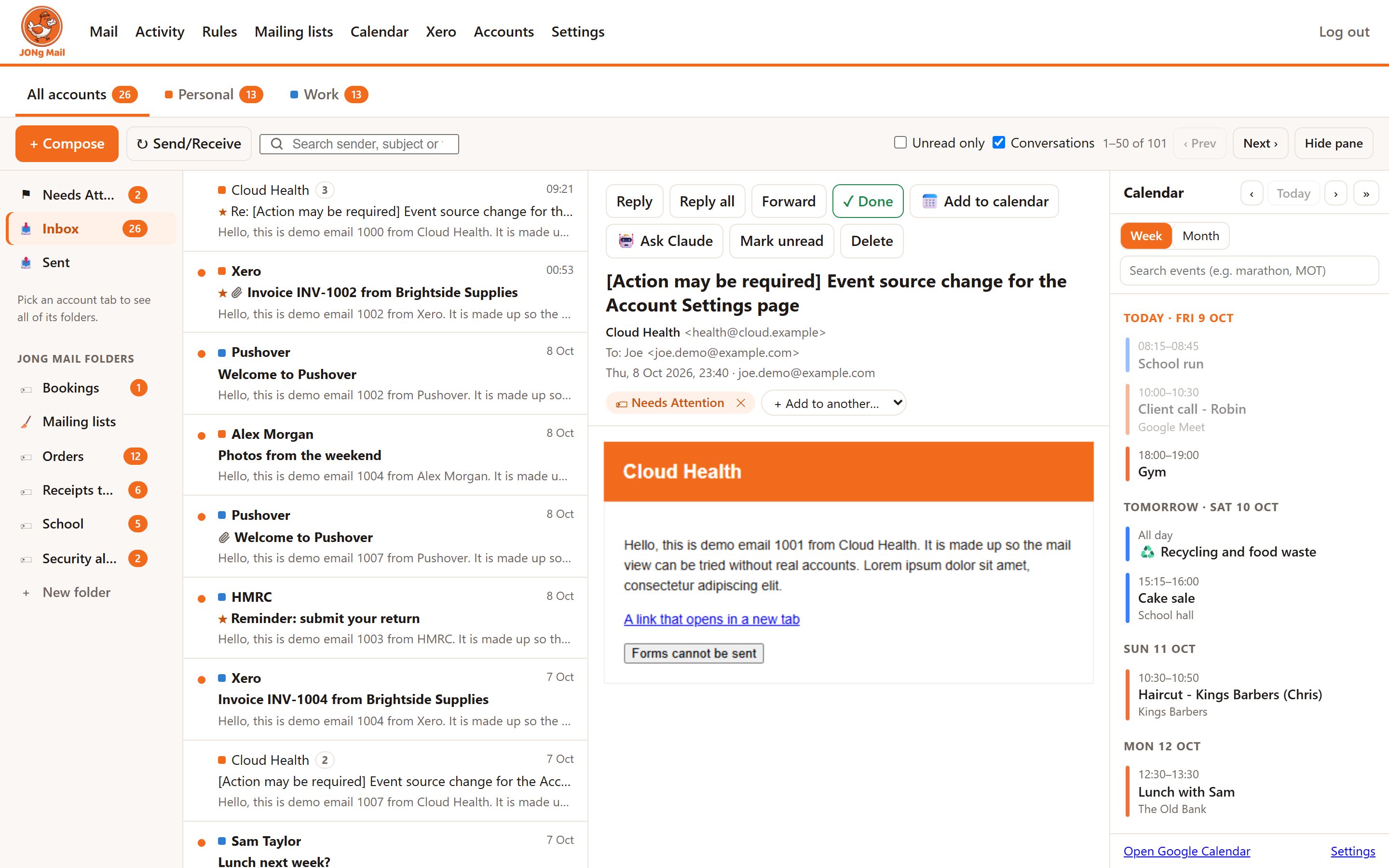
Screenshots of a demo copy with made-up mailboxes, senders and calendar events. No real mail is shown. Tap any screenshot to see it full size.
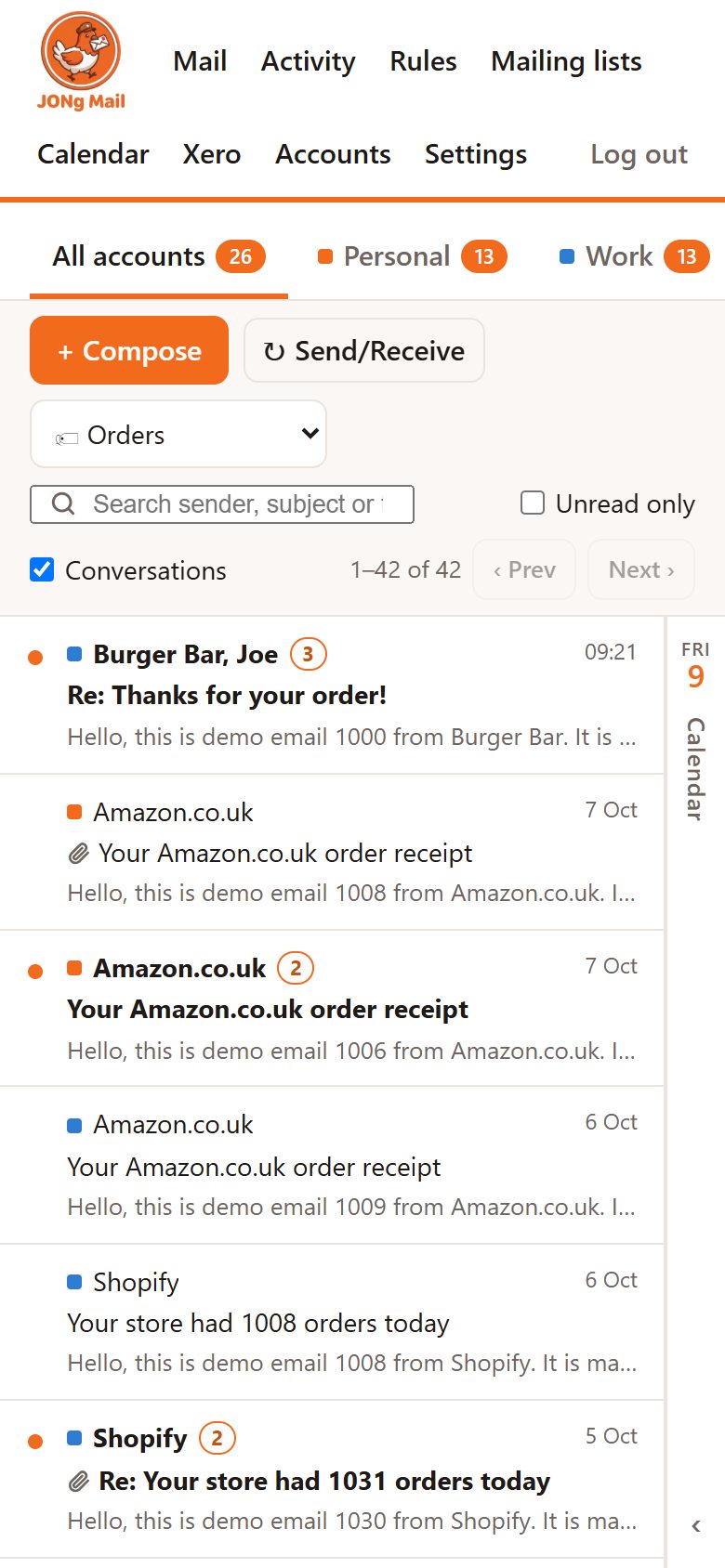
On a phone. The same app in a phone browser: folders become a drop-down and the calendar folds into a strip at the edge.
Reading mail
Every mailbox in one place
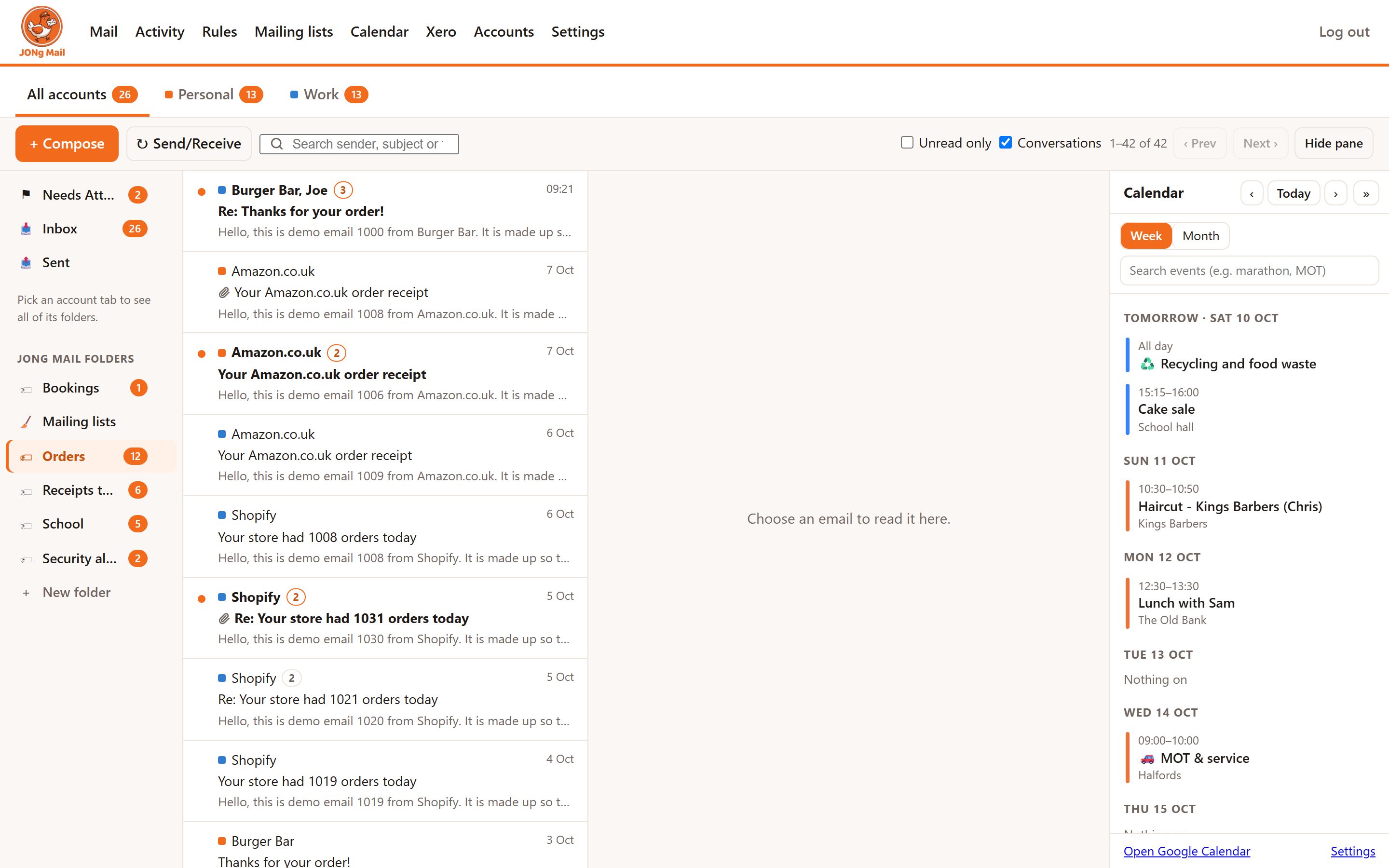
Gmail, Google Workspace and Microsoft 365 accounts side by side, with a tab for each account and one for all of them together.
Accounts as tabs
Each account has its own colour and unread count. Give it any name you like, such as "Personal" or "Work". The counts update as you read, in JONg Mail or in Gmail and Outlook.
Conversations
Replies are grouped into conversations, newest first, with reply, reply all, forward, signatures per account and attachments.
Orders and deliveries together
Order confirmations, dispatch notes and courier updates for the same order are joined into one conversation, even when the shop and the courier send them. It matches order numbers, tracking numbers and the shop the courier names.
Safe to open
Remote images are blocked until you choose to show them, so senders cannot see when you opened their email. Full emails are fetched only when opened and are not stored.
Rules and folders
Mail filed as it arrives
Rules check each new email. They can tag it into JONg Mail folders, hide it from the Inbox, star it, forward it, send a phone alert or add it to the calendar.
JONg Mail folders
Folders that work across every account: Orders, Security alerts, Verification codes, School, Car, Accountants and more. They can hide their mail from the Inbox while still showing it in the sidebar.
Security alerts and codes
Sign-in alerts, new passkeys, two-step changes, password resets and "you shared data with an app" notices go to one folder. One-time codes go to another.
Orders
Orders, receipts and courier emails go to an Orders folder, including takeaway orders and receipts with no order number.
Forwarding receipts
Chosen suppliers' invoices, with their attachments, are forwarded to the bookkeeping inbox automatically. Nothing else is sent.
What needs you
Needs Attention, pinned to the top
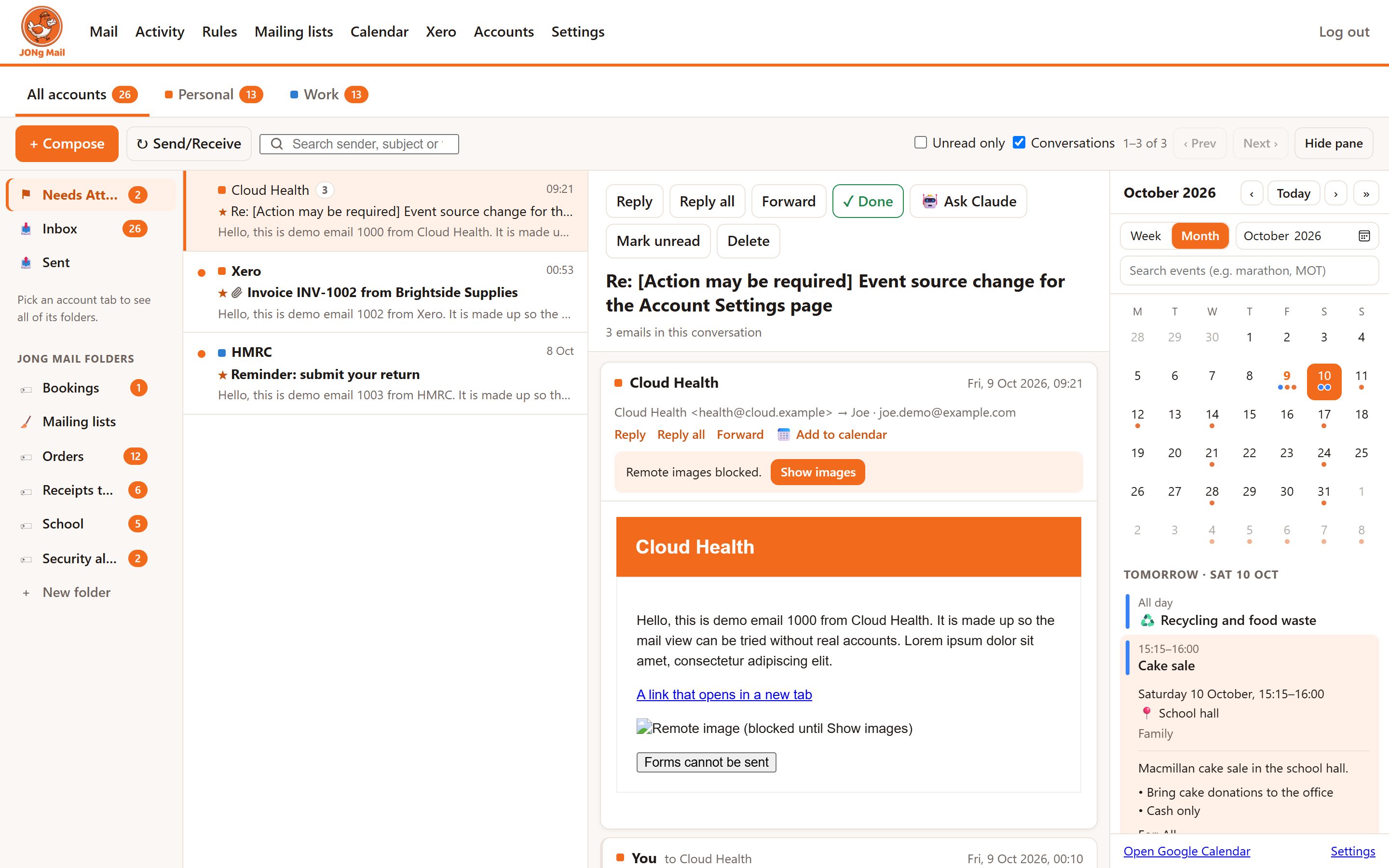
Emails that ask you to do something are starred and put in Needs Attention, at the top of the sidebar.
Only what matters
For example, an accountant asking a question or a payment due by a date. Newsletters from the same sender stay out of the way.
✓ Done
One button (or the d key) takes an email or a whole conversation out of Needs Attention, unstars it and marks it read. It stays in its other folders.
Google Calendar
Dates straight into the calendar
A calendar panel sits beside your mail and folds away to the edge of the screen. Switch between the week and a month grid, search past and future events ("marathon", "MOT"), and click an event to see its details without leaving the app.
Add to calendar
One button suggests the event from the email (date, time, place) for you to check and add, with a link back to the email.
School letters
Claude reads school emails and their attached Word and PDF letters. It adds only what applies to your children's year groups and classes.
- Each event gets a short synopsis: costs, what to bring, booking deadlines.
- Things you need to act on get a 7pm alert the evening before.
- Small items on the same day are combined. Long items like a themed month show just their start and end.
Appointments, hotels and flights
Booking confirmations become events at the right time, with the price, reference and how to cancel.
- Two bookings back to back are kept separate.
- Flights get one event per leg, in UK time, plus a check-in reminder.
- Changes and cancellations update the event.
Car
Garage emails are grouped. MOT and tax dates come from the official GOV.UK records, with a "Book MOT" reminder a month before it is due.
Bin collections
Recycling, general waste and garden waste collections come from the council's calendar. Moves around bank holidays are spotted automatically.
Deadlines with notice
Payment deadlines (tax, director's loan, bills) get their own event, plus a "Coming up" reminder a month before. Event invitations wait in Suggested events until you choose to add them.
Claude, on your side
AI help, only where it earns its keep
Claude by Anthropic reads only the emails that rules point it at, or the ones you choose. Each email is read once and the answer is saved, so it costs pennies.
🤖 Ask Claude
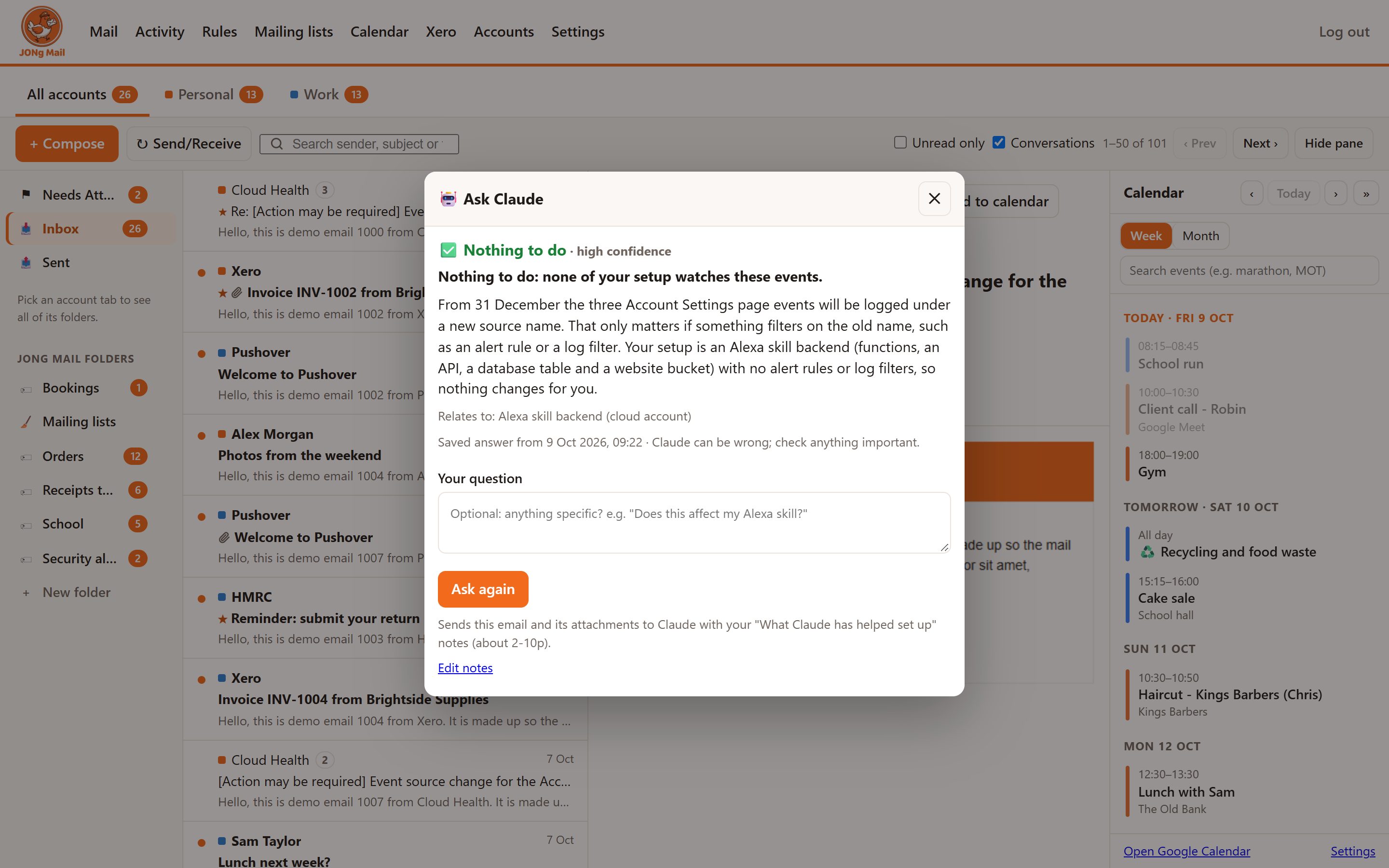
For emails like "Action may be required" notices from cloud providers. The button sends the email to Claude with your notes on the services you run, and Claude answers:
- Nothing to do, worth checking, or action needed.
- Why, in plain English.
- The steps to take, and any deadline.
Preview before it acts
A new AI rule can be previewed on past mail first, showing every event it would add and why, before anything reaches the calendar.
Knows when it is done
When a later email says something is filed, paid or signed, the calendar event is ticked ✅. It is only ticked when the whole item is done.
Money
Accounts and bills
Xero
A read-only connection gives a morning summary of bank balances and unpaid bills and invoices. Bills are added to the calendar with alerts, and ticked when paid.
Bank notifications
"Money added" and "transfer sent" notices go to their own folder and are cleared after a week. Statements are kept.
Less clutter
Keeping the Inbox tidy
Mailing lists
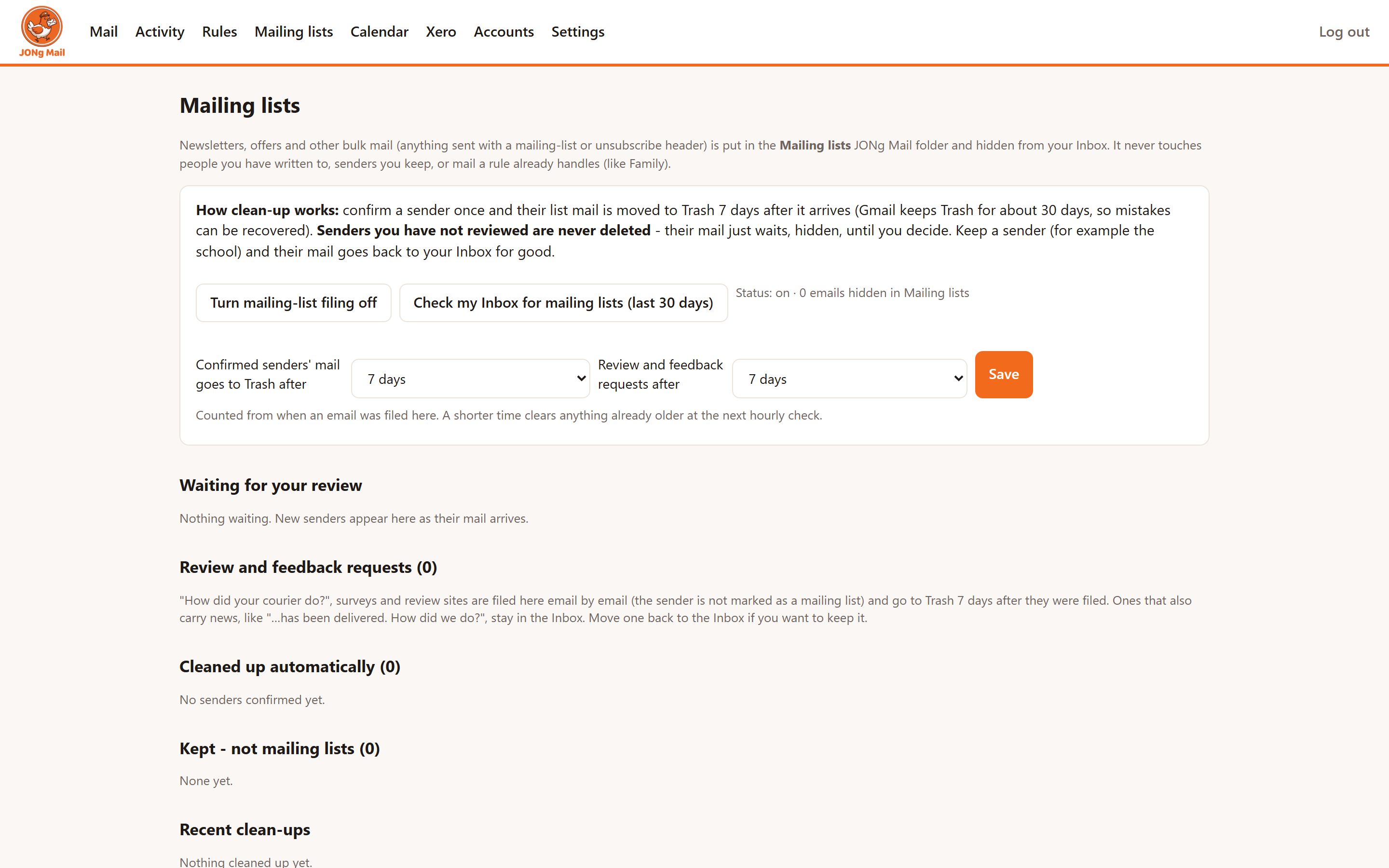
Newsletters and marketing are spotted and moved to a Mailing lists folder. Confirm a sender once and their mail goes to Trash after a time you choose: 1 day to 30 days, or never.
Review requests
"How did we do?" and "rate your delivery" emails are handled the same way, with their own clean-up time.
Never lost
Clean-up only ever moves mail to Trash, never deletes it outright, and every move is logged.
Nothing hidden
An activity log for everything
Every rule action is listed with a reason: filing, clean-up, forwarding, calendar events and AI answers. You can filter it by calendar, mailing lists, clean-up and deletes, or other rules. Rules can also run as a dry run first, logging what they would have done.
Under the hood
How it is built
Small and server-hosted
A Node.js and TypeScript app with a SQLite database, on a private server in London (Fly.io). It works in any browser, on a phone too.
Proper connections
IMAP for Gmail and Workspace and Microsoft Graph for Microsoft 365. Google Calendar and Xero use their official APIs and sign-in. Every token is stored encrypted.
Claude Opus 5.5
AI reading uses Anthropic's Claude API, which returns structured answers. Calendar data and Xero data are never sent to it.
Privacy
What is stored, for how long, and where it goes is set out in the JONg Mail privacy policy.
Not publicly accessible
JONg Mail is an in-house tool used by JHR Tech, so there is no public version to try.