 JHR Tech Ltd
In pictures
What it looks like
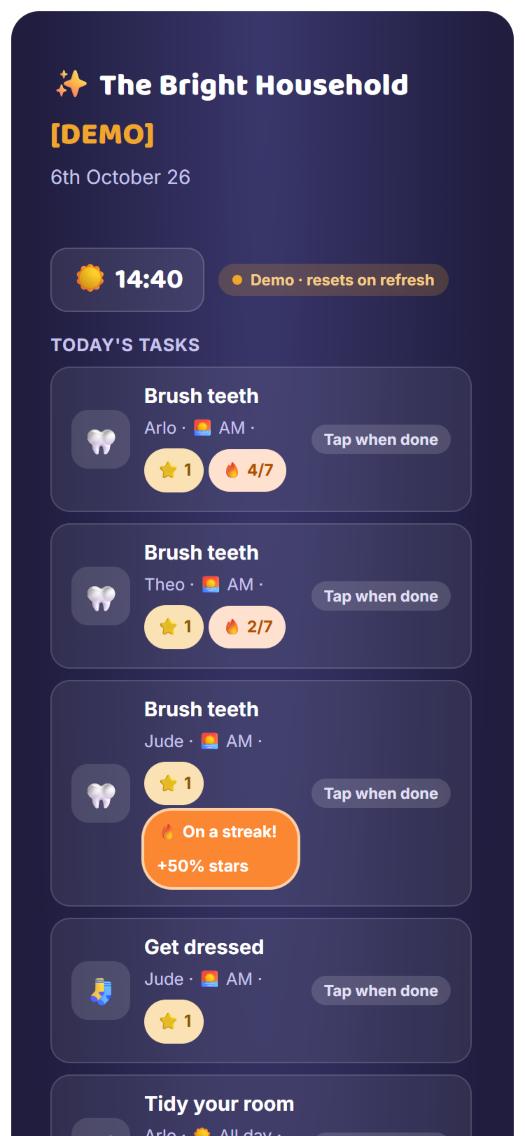
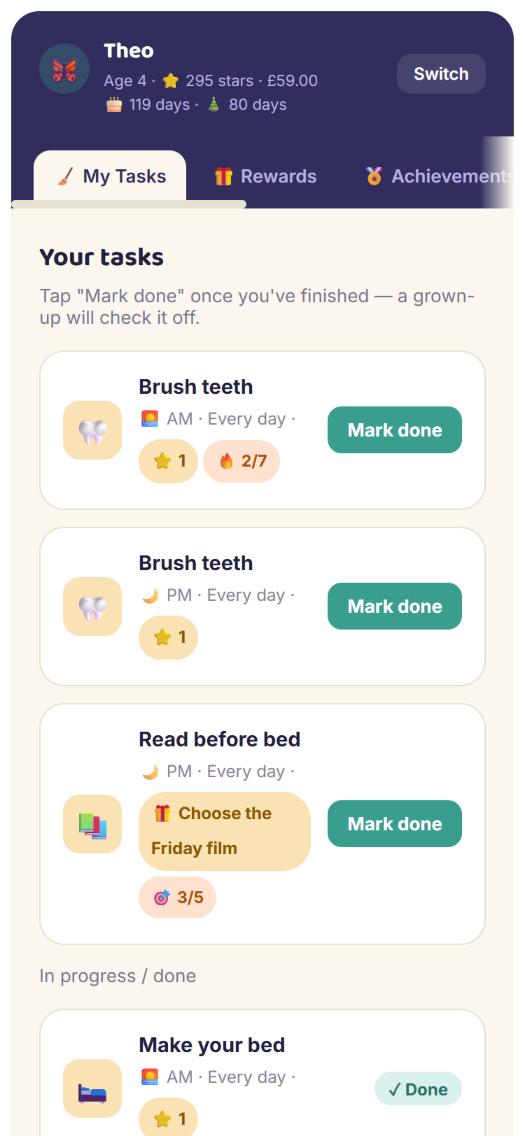
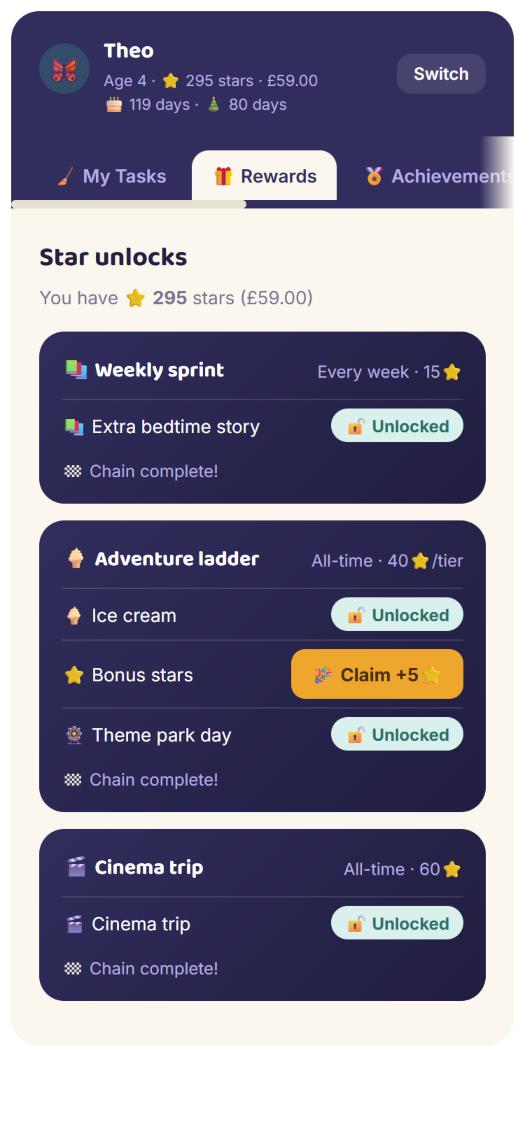
Screenshots of the live demo on a phone. Everything shown is randomly generated sample data. Tap any screenshot to see it full size.
How it works
Do it, check it, earn it
The loop is deliberately simple, so children can use it on their own and a parent only has to tap approve.
1. A child ticks it off
Each child has their own screen with their tasks for the day. They tap "Mark done" there, or straight on the shared home screen, without opening their own page.
2. A grown-up approves
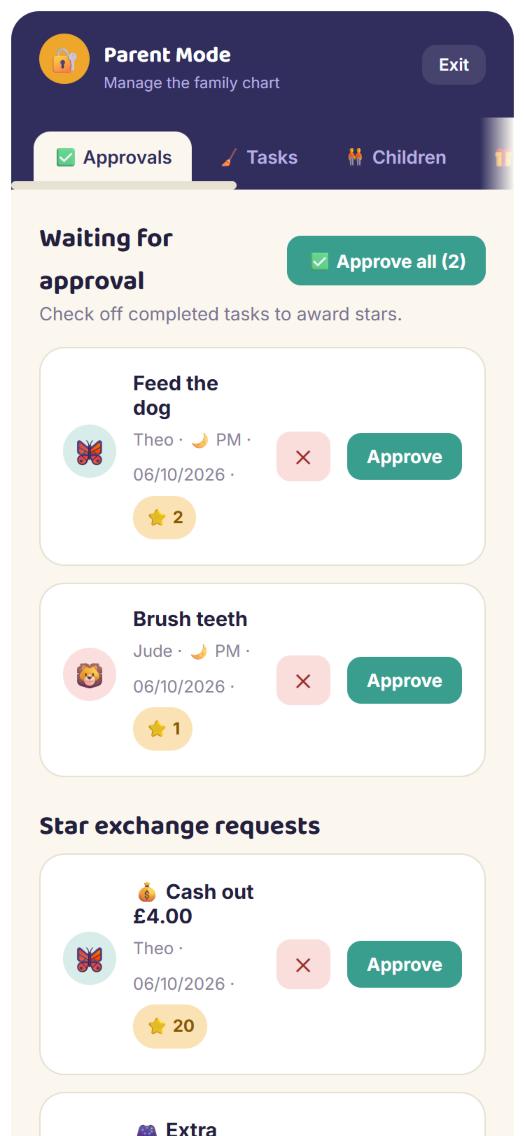
Finished tasks wait in an approvals queue until a parent checks them. Nothing earns stars until it is approved, so the chart stays honest.
3. The stars add up
Approved tasks earn stars. Stars unlock rewards and achievements, decide the leaderboard, and are worth real money at a rate the parent sets.
Tasks
Flexible enough for a real household
Parents set tasks up once and the chart handles the rest of the week.
Set up your way
Give each task a name and an icon, a time of day and how often it comes round.
- Morning, evening or all day, and the lists are sorted that way
- Every day, every week, one-off, or a milestone
- Worth a number of stars, or a prize instead
For one child, several, or anyone
Assign a task to one child, or to several at once and each gets their own copy. Or leave it open to all: it appears as up for grabs and the first child to claim it takes it on.
Team tasks
A task can be done together. Children tap to join, then when it is done the parent decides how many stars each helper earns.
Prizes instead of stars
A task can pay a prize ("choose the Friday film") rather than stars. That lets you set specific jobs for specific children without upsetting the leaderboard balance, because the leaderboards only count stars.
Milestones
One-off goals such as learning to ride a bike get their own section and disappear for good once they are done, with stars or a prize as the reward.
Missed yesterday?
If a child forgot to mark a daily task yesterday, a catch-up list lets them do it today. It still goes through the normal approval, and it keeps a streak going.
Streaks
Rewarding doing it every day
A streak counts approved days in a row. Miss a day and it starts again from zero. Each task with a streak shows exactly where it is up to, for example 🔥 4/7.
Bonus stars
On a task that pays stars, hitting the target (say seven days) puts the child on a streak, shown as 🔥 On a streak! +50% stars. Every day they keep it going, the task pays half as much again.
Prizes that need a streak
A prize can be held back until the streak is complete. A task like "read before bed" can pay a bigger prize only after five days in a row, and the task then goes away.
Repeatable or one and done
A repeatable streak keeps going and can pay out again. Turn that off and the task ends once the target is hit, shown with a target 🎯 3/5 instead of a flame.
Rewards
Something to save up for
Beyond the stars themselves, parents can put bigger goals in front of the children.
Star unlocks
"Trip to the cinema at 60 stars". A reward pays out a prize, or bonus stars the child taps to claim, and shows progress towards the next one.
Chained rewards
Make a reward a chain with a different payout at each step: an ice cream, then bonus stars, then a theme park day. A chain can also keep repeating its last step.
All-time, weekly or monthly
A reward can count all the stars ever earned, or start fresh every week or month. Add a start and end date for something like the first 24 days of December. Rewards that have not started yet sit in an Upcoming section.
Achievements
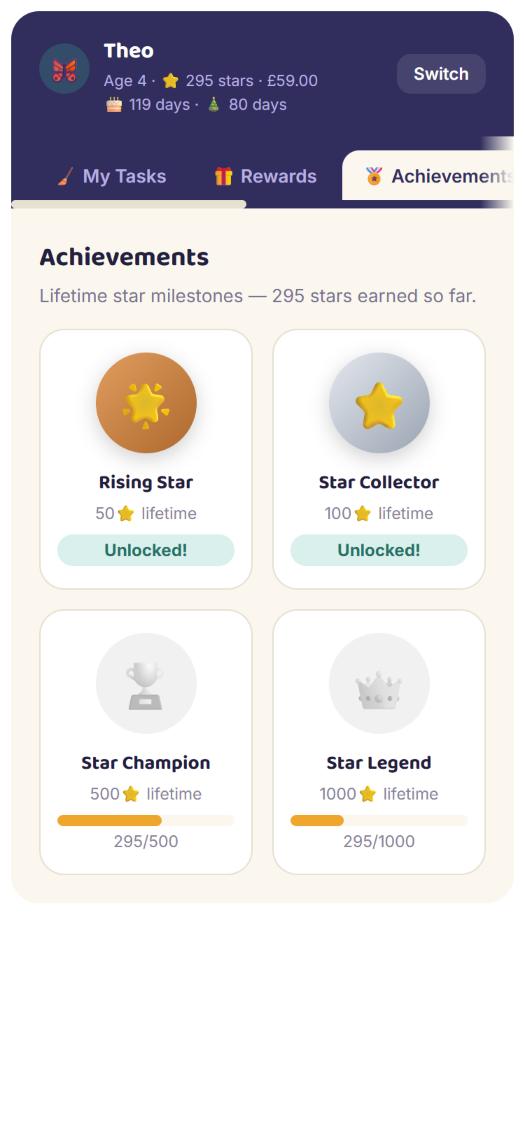
Lifetime star milestones at 50, 100, 500 and 1,000 stars, each with its own badge. They show faded until earned, then light up.
Leaderboards
A little friendly competition
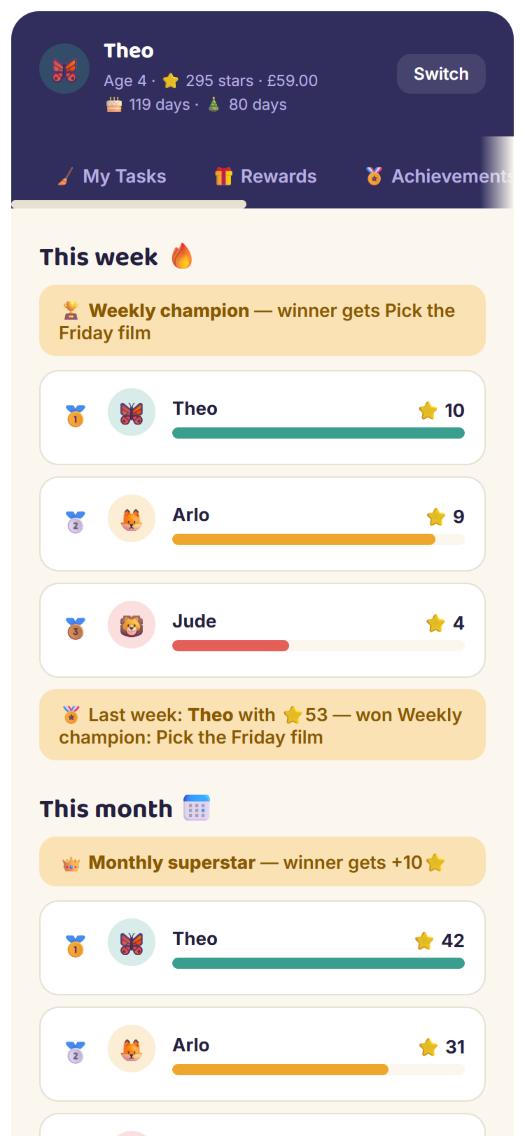
Standings for this week, this month and all time, with medals for the top three.
Ties are shared
Children level on stars share the same medal, so two joint leaders both get gold.
Prizes for the winner
Parents can offer a prize for the most stars in a period: weekly, monthly or between two dates of their choosing. The prize is shown on the leaderboard so everyone knows what is at stake.
Awarded automatically
When a period ends, the winner is credited without anyone having to claim it, and a banner shows who won last week and last month.
Stars only, and fair
Bonus stars paid out by rewards and leaderboard prizes do not count towards the standings, so winning one week does not snowball into the next. Prize-only tasks do not count either.
Star exchange
Spend the stars
Stars can turn into something real, and a parent stays in control of every request.
Cash out
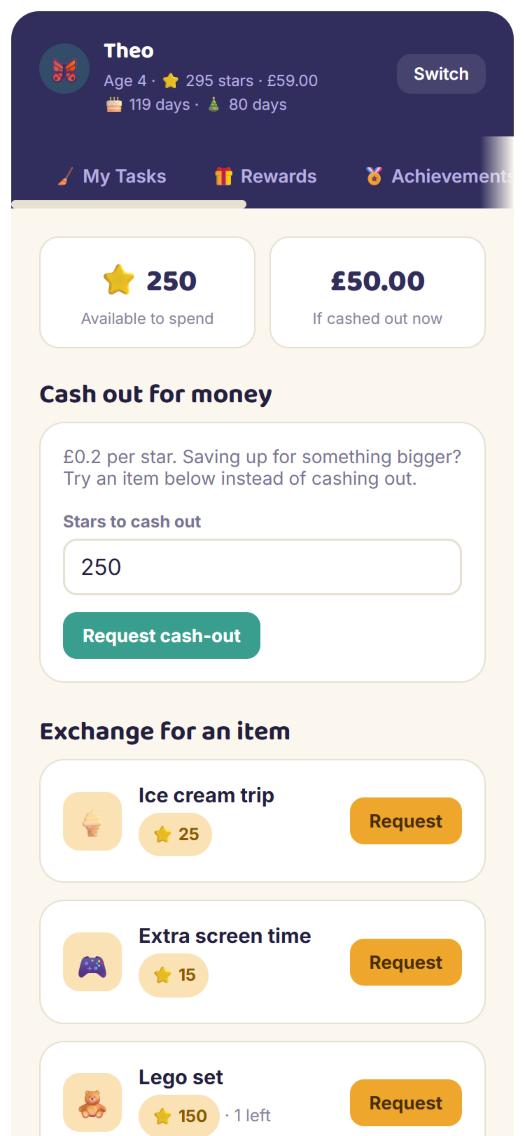
Each star is worth an amount the parent sets, in whatever currency symbol they like. A child can ask to cash some out and sees what it would be worth.
Items to save up for
Parents add things children can buy with stars, with a name, an icon and a star cost.
- Claim limits: one-off, a set number, or unlimited
- Show an item to everyone, or only to chosen children
Approved by a parent
Cash-outs and item requests wait in the approvals queue. Stars in a pending request are set aside straight away, so the same stars cannot be spent twice while waiting.
Spending does not erase progress
The exchange has its own spendable balance. Spending stars never reduces the lifetime total that achievements, rewards and leaderboards are built on.
For parents
Quick to run, hard to break
Parent Mode is where the chart is managed, with an optional PIN to keep children out.
Approve in bulk
Approve or send back each task, or use "Approve all" to clear a busy day in one go after a single confirmation.
Adjust stars
Add stars for something outside the usual tasks, with a note of what it was for. Taking stars away is also possible, behind an extra confirmation.
Children and settings
Add children with a name, avatar and birthday (their screen shows their age and counts down to their birthday and Christmas). Set the chart's name, currency and the value of a star.
A clean slate
A danger zone clears one child's history, or everyone's, while keeping the tasks, rewards, exchange items and children. Each has its own confirmation.
History
Each child has a history of what they completed and earned, with their total stars, money claimed and tasks done.
Everywhere
One chart, every screen in the house
Phones, tablets and a display
It is a web page, so it works on a phone in your pocket and on a tablet or smart display on the kitchen wall. The shared home screen is designed for that wall: everyone's tasks, what is waiting for approval and a tile for each child.
Instant to use
Taps respond immediately and are saved in the background, so it feels quick even on a slow connection.
An Alexa skill
The voice skill shares the same record as the app, so a task marked done by voice shows up on screen straight away. Ask what is left on today's list, mark a task done, or ask for a star balance.
Under the hood
Small, serverless and separate
One HTML file
The whole app is a single page of plain HTML, CSS and JavaScript, with no framework and no build step.
Serverless on AWS
The page is served over HTTPS from CloudFront with a private S3 bucket behind it. A small API on API Gateway and Lambda (Node.js) saves each household's chart in DynamoDB, and the Alexa skill uses the same table.
Safe to share a screen
Every save is version-checked, so two people changing the chart at once never silently overwrite each other: the second sees a notice and the latest data.
Defined as code
All of the infrastructure is described in CloudFormation templates, and the same code can serve separate households, each with its own data.
The demo is the real app
The demo is the same code with the backend removed. It generates a random household with six weeks of history each time you open it, entirely in your browser, so nothing is stored and there is no real family data anywhere near it.
Try the demo
Open it on your phone or desktop, look around Parent Mode, approve a task, and refresh for a different household.